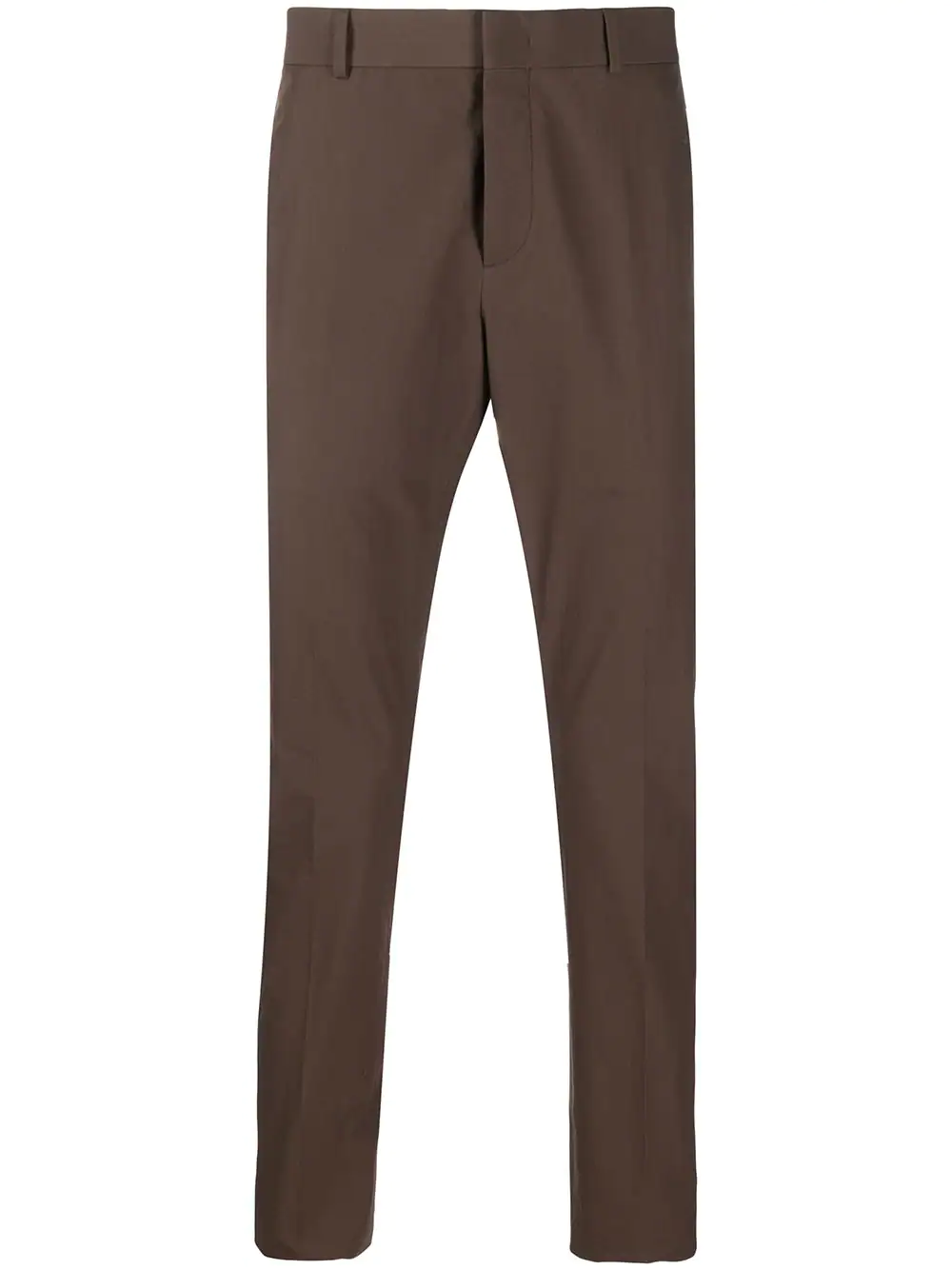
Valentino , Category: Trousers
In Stock
Price $20
Offer 20%, Save 4$
With these slim-fit trousers, you add a bit of fun to your daily looks. Constructed from pure cotton, these trousers are Classic fit with exapandable waist and will be one of your coolest and most confortable pieces
For Men

Tousers

The shop offers these categories: Trousers - consists of the latest fashion and designs, Shoes - includes shoes for ladies and men, Electronics - includes household electronics, For sample items in a category, Type 'Category Title' e.g., Electronics or for list of items in a category, Type List 'Category Title' e.g., List Shoes .

Category

The shop business registration name is Clad Shoes Located in 165 Lee Avenue, Vineland, New Jersey 08360 Business Hours 08:00 Am - 7:00 Pm, Weekdays Contact Us & feedback, WhatsApp: +1-202-555-0181, +1-202-555-0107 For information about shop items category, Type: Category or Categories.

Shop

I can provide Help information about Shop e.g., Type Shop , Type Location . Item Categories, e.g., Type Category , Type Categories . And lists of items or specific items in Categories. Thank you.

Help

Hello, this is WADroid automated WhatsApp response.
Please type "Help"

WADroid

Hello! welcome to WADroid. Please view our quick guide on Authentication. Google Playstore
Please input the your WhatsApp Acount Phone Number.

Qr Code Not available Please do...
1. First ensure internet connection on your phone.
2. Open the WADroid app and WhatsApp account.
3. From WADroid, tap Start WADroid Bot. Tap then tap then tap
4. Open www.WADroid.com on a browser, input your WhatsApp phone number and click authenticate.
5. Scan Qr-code from your WhatsApp account.
..to login to WADroid.

What is WADroid?

WADroid is mobile android application that provides chatbot functionality to your existing WhatsApp account via the WhatsApp Web. Simply, this entails fetching QR authentication data from WhatsApp Web and using it to authenticate the WADroid chatbot and connect to you WhatsApp account.
Target goal: WADroid's target goal is to automate WhatsApp chats by chatting your products and services, and answer questions throughout your customers shopping experience.
Features include: Shop details definition, products or items catalogue and items definition, graphical reports of chats activities.

Authentication quick guide.

To authenticate WADroid on your WhatsApp just the follow the following steps.

  1. Your online WhatsApp, phone device.
  2. A second phone or pc device with internet connection.
  3. Install WAdroid on your device from Google Playstore and register for a WAdroid account.
  1. Open your WADroid app and WhatsApp account.
  2. From WADroid, tap Start WADroid Bot. Tap then tap then tap
  3. Open www.WADroid.com from the browser on secondary device, input your WhatsApp phone number and click authenticate.
  4. When Qr-code turns Green, scan Qr-code from your WhatsApp, tap Menu or Settings then tap WhatsApp Web 🤩

Errors and Login Failed

If the login process returns an error alert, then please restart WADroid and retry the login procedure.


  1. Logged Out from WhatsApp. Please Retry Login or Link WADroid Later - means WADroid login credentials are incorrect due to deliberate disconnection of WADroid from your WhatsApp account. Retry the login procedure.
  2. Can't connect to WhatsApp Account, please Ensure Online WhatsApp Status - means your WhatsApp account is not connected to the internet. Ensure your WhatsApp account is online during login.
  3. Please Ensure Access to Internet Connection - means your phone device is not connected to the internet. Ensure internet connection and retry the login procedure.
  4. You logged out from WhatsApp - means you deliberately disconnected WADroid from your WhatsApp account. Ensure Login WADroid to WhatsApp Account.
  5. Can't connect to WhatsApp Account, WhatsApp Web is opened elsewhere - means your WhatsApp web is opened by another application other than WADroid. Disconect the other app and retry the login.
  6. Can't connect to WhatsApp Account, Error occurred please retry later - means WADroid encountered an unkwown error. Please restart WADroid and retry login.
  7. For all the above errors and any other error not listed, please restart WADroid and retry the login procedure.
Privacy Policy Terms and Conditions